
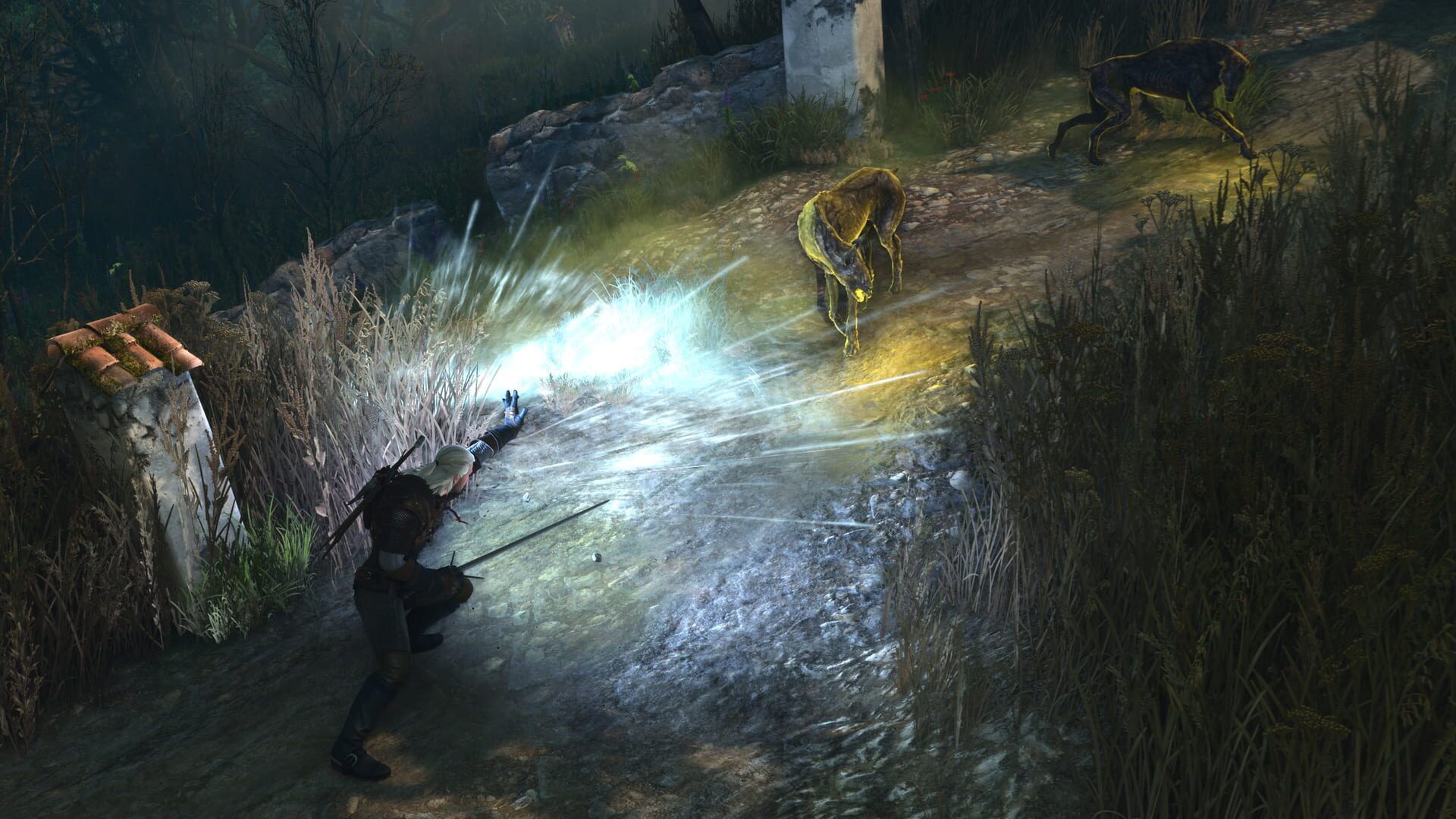

The Witcher 3: Wild Hunt Remastered
Rent The Witcher 3: Wild Hunt Remastered for PS5 in India from ₹350. Choose Primary, Secondary and Lifetime access. Access details arrive on WhatsApp after payment.
Media
About This Game
The Witcher 3: Wild Hunt — Remastered modernizes the acclaimed role-playing game with a range of upgrades and enhancements. Become monster slayer for hire Geralt of Rivia and journey across a dark fantasy open world in an epic quest to find your adopted daughter Ciri. The Remastered update is free for players who own The Witcher 3 and includes both Hearts of Stone and Blood and Wine expansions.
Storyline
Become monster slayer for hire Geralt of Rivia and journey across the war-torn Northern Kingdoms to find your adopted daughter, Ciri, before the spectral forces of the Wild Hunt take her incredible power for their own. Remastered includes two critically acclaimed expansions — Hearts of Stone and Blood and Wine — and sets the stage for Songs of the Past.
Details
A payment processing fee of 2.36% (2% + 18% GST) is added to every order, after any discount. You see the exact amount before you pay.
Refund policy: Please review gameplay videos before renting. Refunds are available for failed transactions or approved support requests — see our Terms.
Every mode is tested to keep your console safe.
Access details on WhatsApp within minutes.
Primary modes save progress to your account.
Step-by-step with screens: PS5 rental rules and procedures 2026 and PS4 rental rules and procedures 2026.
Frequently Asked Questions
Which consoles can I play The Witcher 3: Wild Hunt Remastered on?
The Witcher 3: Wild Hunt Remastered is available to rent for PS5.
How much does it cost to rent The Witcher 3: Wild Hunt Remastered?
Primary from ₹450, Secondary from ₹350, Primary Lifetime from ₹2000, Secondary Lifetime from ₹1800. Pick a plan and duration above to see the exact price before you pay.
Is The Witcher 3: Wild Hunt Remastered available to rent right now?
Yes. At least one rental option for The Witcher 3: Wild Hunt Remastered is in stock.
What else is The Witcher 3: Wild Hunt Remastered called?
The Witcher 3: Wild Hunt Remastered is also searched as the witcher, tw3, twiii, tw 3, tw iii, tw wild hunt, witcher, witcher3. Any of these finds it on Swaps Gaming.
Can I play The Witcher 3: Wild Hunt Remastered online or with friends?
IGDB lists these modes for The Witcher 3: Wild Hunt Remastered: Single player.
How long does delivery take?
Instant. Once payment is confirmed, you receive account access details on WhatsApp within minutes (usually under 5 minutes during business hours, up to 30 minutes outside).
Will my console get banned?
No. Every rental mode follows PlayStation's account-sharing guidelines. We have served thousands of gamers with zero console bans.
Can I play online multiplayer?
Yes! Primary mode supports full online multiplayer. Secondary mode also works online since internet is required anyway.
Can I extend or renew my rental?
Yes. Visit your Dashboard before expiry and click Renew. If already expired, simply rent the game again or upgrade to a Lifetime mode for permanent access.
What's the difference between Primary and Secondary?
Primary: Download from our account, play from yours. Works online and offline. Trophies and saves are yours. Secondary: Play on our shared account. Requires internet. No trophies on your account. Both are 100% ban-safe.
How do I start a PS4 rental?
On the PS4 login screen select New User, then Create a User. Accept the user agreement. A QR code and a number appear on your screen: send a clear photo of both to us on WhatsApp and we sign in for you. Primary renters then open Settings, Account Management, and Activate as Your Primary PS4. The full screens are in the PS4 rental rules and procedures guide.
How do I activate or deactivate a Primary PS4?
Primary rentals only. When the rental starts: Settings, then Account Management, then Activate as Your Primary PS4. When the rental ends: Settings, then Account Management, then Deactivate as Your Primary PS4. Secondary renters do not change the primary console.
How do I start a PS5 rental?
On your PS5 choose Add User > Get Started, agree to the terms and press OK. A QR code with a 6-digit number appears: send a clear photo of both to us on WhatsApp and we sign in for you. Primary renters then enable Console Sharing and Offline Play. Download the game from Game Library > Your Collection and play.
How do I turn on PS5 Console Sharing and Offline Play?
Primary rentals only. Go to Settings > Users and Accounts > Other > Console Sharing and Offline Play and choose Enable. It is on automatically on the first PS5 an account signs in to, so you may already see it enabled.
How do I disable Console Sharing at the end of a Primary rental?
Go to Settings > Users and Accounts > Other > Console Sharing and Offline Play and choose Disable, then confirm. Do this before you delete the rental user. Secondary renters never enable it, so they skip this step.
What do I do when my rental ends?
Record a video while you do it. Secondary: delete the rental user (Settings > Users and Accounts > Delete Users). Primary: first disable Console Sharing and Offline Play, then delete the rental user. Upload the video on your Dashboard under that rental. The rental is complete once our team approves it.
Why do I have to upload a video?
The video shows the rental account was removed correctly, so the next renter gets a working account. Renters who complete the checklist with a video on every rental are marked Top Customers by our team.
Who are Top Customers?
Renters whose return videos are approved every time they rent. Our team marks them Top Customers on their account. Skipping the video on any rental means that rental is not complete.
Reviews & Ratings
Sign in to write a review
Share your experience with the community.